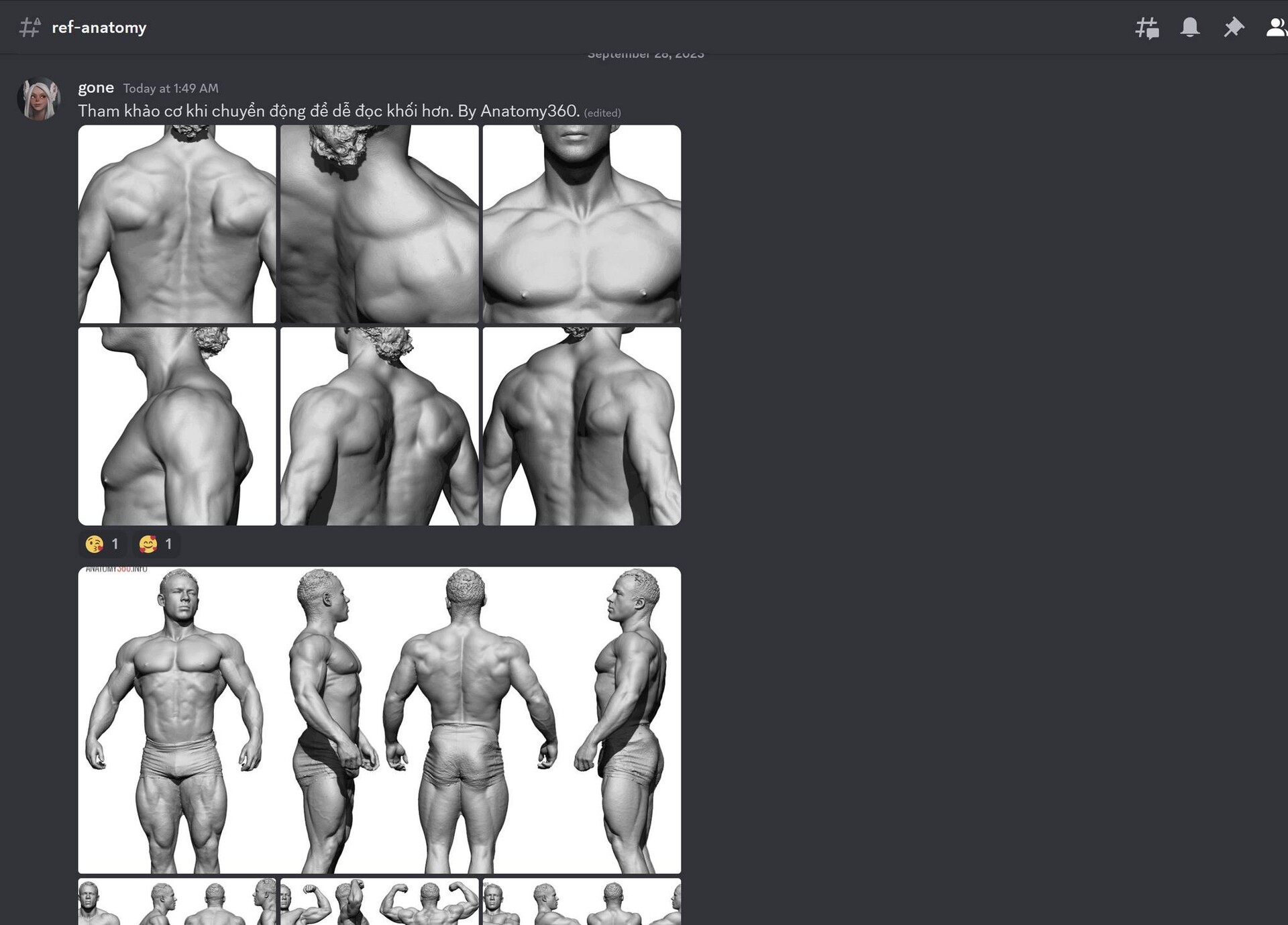
I just created a Discord server (which I used to teach 3D courses), but now I'm gonna use to it to share my knowledge, reference videos and pictures regarding general anatomy, ZBrush sculpting, modeling and other 3D-related stuff.
You can also send my questions to ask about 3D characters, game, modeling, sculpting, 3D printing... and I will try to answer everything in my free time.
Lastly, this is where I stream my sculpting/drawing sessions. I hope this will encourage me as a lazy ass sculptor; and encourage you guys to learn and make amazing 3D characters.
I just updated my Realtime Viewport Anti-Aliasing script to version 1.3 to support hi-res monitors with Windows Scaling on.
Anyone who bought the script will receive this update for FREE.
The issue is I used to use a 34" ultrawide monitor, and when I switched to my laptop with an UHD 17" screen, I had to turn on Windows Scaling to effectively see those tiny things. However, v1.2 script didn't work as intended, it would turn on AA 2 times when it supposed to turn it off.
I fixed it in this v1.3 update.
Compare this script to others you find on the internet? You only need ONE button to turn it on/off while preserving model position on the canvas. Voila!
For anyone who had scaling issues with my Facial Hair Tool, here's a good news: I just updated the tool to v2.0, now supports real-world scaling AND 4k texture maps (2k in previous version).
If you purchased the tool, it's a FREE update. You can go to where you purchased (ArtStation, Gumroad, FlippedNormals...) and download it.
Have fun!
-----
Regarding 1-star reviews, I acknowledged it and there are some people who had the issues as stated above. But, it's less than 10 on thousands purchases and you know, people tends to leave bad review when things turned sideway.
So if you purchased my tools and liked it, please leave a review. I'm appreciated.
CHANGELOG: v1.1: Toggling AA will never move or zoom into your mesh, maintaining the original position on the canvas. v1.2: Combine two macros into a single button. Easy On/Off.
Poligone here. Today I want to show you two useful macros that I've made and been using for a while.
Poligone - ZBrush Realtime Viewport Anti-Aliasing
These macros will enable/disable AA for better real-time rendering, especially for quick viewport screenshots. Works best for hair and thin objects. Note that enabling AA will heavily affect ZBrush performance so don't use it when sculpting.
ZBrush default subdivisions will smooth out your mesh (which led to detail loss), and shrink your mesh (especialy at the edge) so your low-res and hi-res mesh won't match.
This macro will let you subdivide your ZBrush mesh the alternative way which will reduce shrinkage and preserve details of your mesh.
It is good for organic meshes such as humanoid and creatures (soft edges), and will produce artifacts if used on hard-surface meshes. Use with caution.
Yeah, finally I decided to create my Twitter account after years of denying it. Give me a follow or leave your Twitter link here so I can follow you guys!
I hope it makes it easier for you to read my tutorials.
---
And as a reminder, sales on following products will end soon:
- King Arthur Project Files (30% OFF until April 18 using ARTHUR code ~ 10 slots left) (gum.co/arthur) - Smart Material Collection for AAA Character Creation (30% OFF using APRILSFUN code ~ 11 slots left) (gum.co/charspsm) - Physical Materials for Marmoset Toolbag(30% OFF using TOOLBAG code ~ 12 slots left) (gum.co/toolbagmats)
The numbers on products is the remaining numbers of remaining discounted products using codes above. When it all ran out, I will remove the promotion codes and adjust the product number back to normal.
There are not many remaining, so don't miss the chance.
You can click on GO TO STORE below to go to my store and claim the deals!
And hey, don't forget to rate my product if you like it. Thank you for your support!
---
So one more thing.
I've been thinking about this for a while and I think it's time to let you know: I will launch my Patreon page, so that you can pay a small amount of monthly fee to access to my cool stuff or promotion codes.
On this Patreon page, I will make 3D Prints models of Pop culture collectibles, Likeness heads of celebrities & Original designs (Statues, Wacom pen holders, Keycaps, Masks, Jewelries...) This is just my plan but it will mostly depend on you, my future supporters. If you have anything that you like & want me to create, or any suggestion to tier price, or tier rewards, let me know. You can contact me via links below, don't hesitate.
I ran a quick poll and this is what some of my followers want:
These are some physical materials to use in your Marmoset Toolbag scenes. Available at: www.gum.co/toolbagmats (You can use TOOLBAG promotion code for 30% DISCOUNT for 50 first buyers) or www.poligone.art/store
This package contains 9 Physical Materials for Marmoset Toolbag including
- Glass - Jade - Porcelain - Primer Grey - Resin Dark - Resin Green - Resin Grey - Resin Skin - Resin White
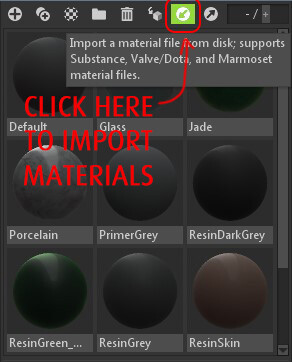
To import into Marmoset Toolbag, see "HowToImportMaterials.jpg".
Although these materials should work on any version of Marmoset Toolbag, I recommend to use version 3.08 or above as I only tested these on Marmoset Toolbag 3.08.
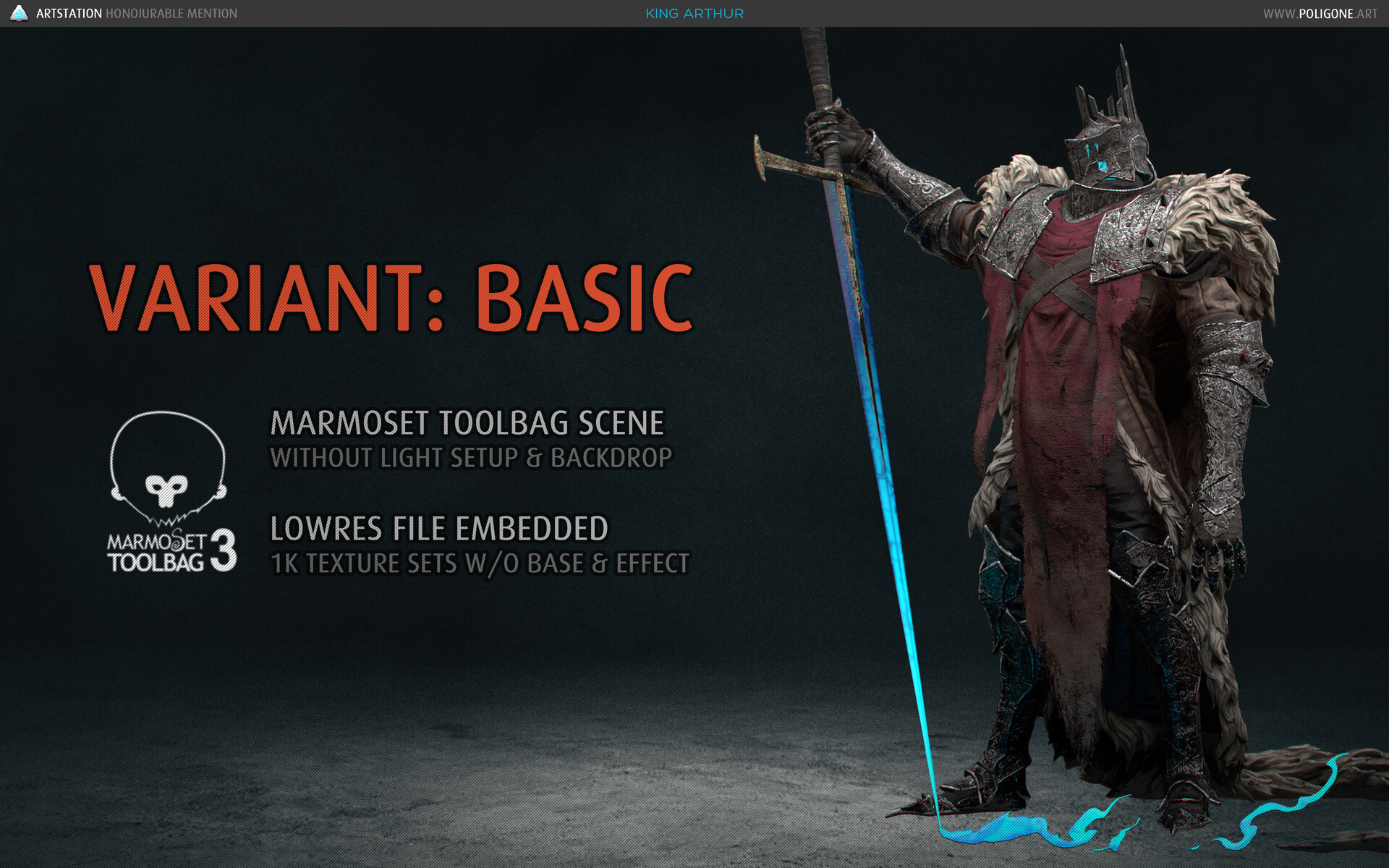
King Arthur is my real-time character I made for ArtStation Challenge and it was a Honourable Mentioned Entry. Although I made a tutorial already, I still want release the project files so you can use it for learning purpose, especially if you are a junior artist or a student.
The character is sculpted in ZBrush, modeled and retopologized in Maya, textured in Subtance Painter and rendered in real-time with Marmoset Toolbag.
You can view more hi-res screenshots of wireframe and UV on my ArtStation
There are 3 variants: Basic, Extended & Full to choose from (See difference below).
Use code ARTHUR for 30% OFF when purchasing any variant below. Applied for 50 first customers only so be fast!
[There is also a free demo version in case you wanna try before you buy]
This pack is a collection of Substance Painter's Smart Materials that I've made in 5 years of my career as a professional 3D artist. These materials were used in all of my AAA and mobile projects for many well-known clients (ILM, Microsoft, Lucas, Disney, NCSoft, Nexon, Telltale, Kabam, Gamevil, Digital Legends and many others), from 4K to 512px textures with minimal adjustments.
These materials come in SPSM format and were categorized into 17 Materials and 9 Effects.